All tools for your tours
Huendo is an all-in-one tour management app built for tour guides — helping them manage materials, clients, logistics, and generate tour content.

Every tour in one place — from the first booking to the last room key.
Each tour gets its own workspace. The sidebar holds all your tours, with search.
The essentials of a tour, in one form
Name, location, dates, group size, average age, and up to eight interests that describe the group.
- Payments, if you track them: a price per person, in any currency.
- Insurance, if you track it: who is covered and who isn't, on every client.
- The context for Tour prep feature: every text is written from these details.

Every file the tour needs, in one place
Not scattered across email, WhatsApp and Drive. Drag in a whole batch, and download any file when you need it.
- Any file a tour runs on: GPX tracks, PDF, Word, Excel, PowerPoint, text, photos, video, audio and archives, up to 25 MB each.
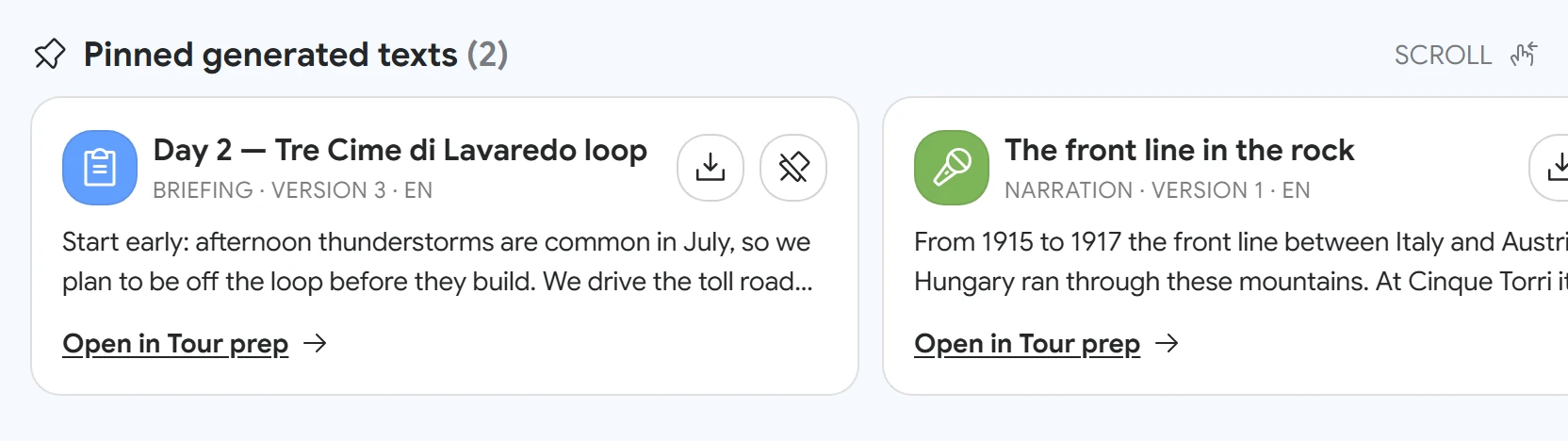
- Pinned texts: tour materials generated in Tour prep sit at the top of the materials.
- Scann for Tour prep: uploaded files are scanned for textual content upon upload, so Tour prep can use them for generation.

Your whole group, with what you need to know
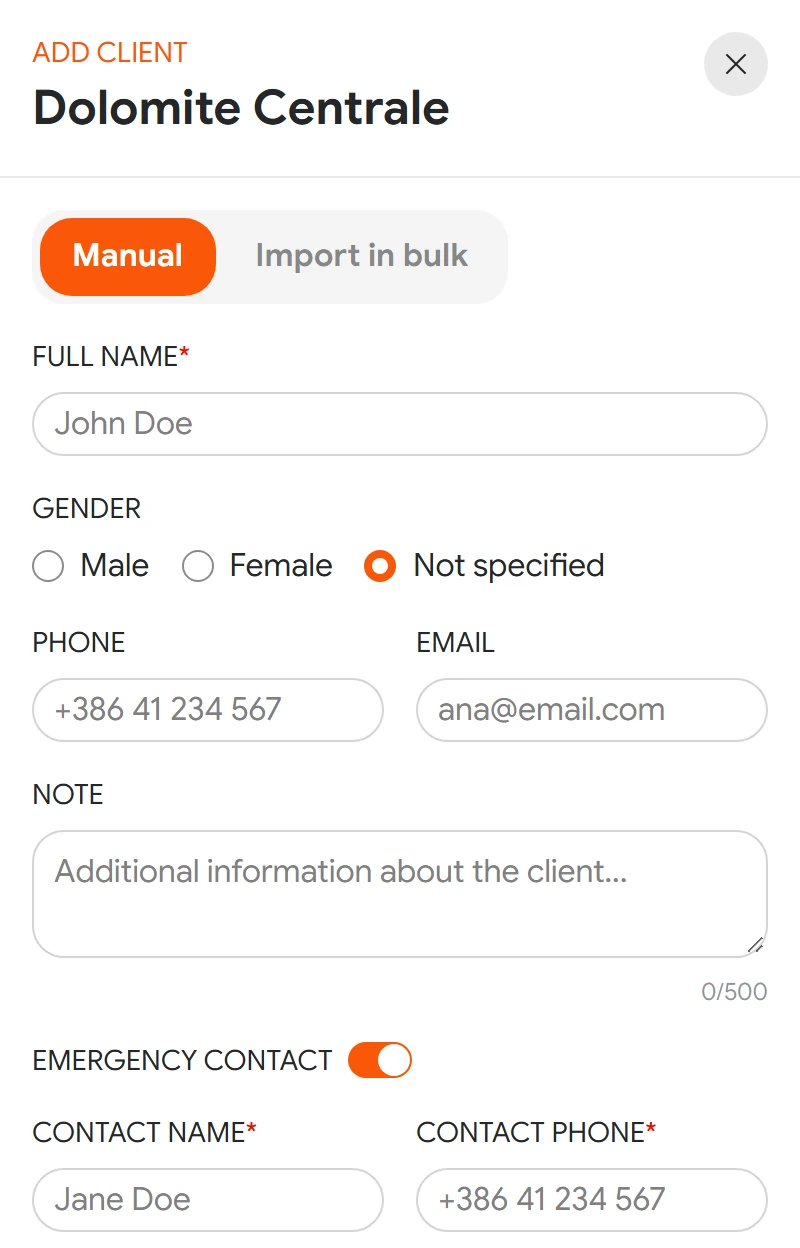
Add clients one by one: phone, email, emergency contact, insurance policy, amount paid, a note and their own files. Or import the whole group from a spreadsheet, with a ready-made template and a prompt you can give your own AI assistant to adapt a sheet you already have.
- Find anyone: search, and filter by payment (Paid, Paid partially, Not paid) and by insurance.
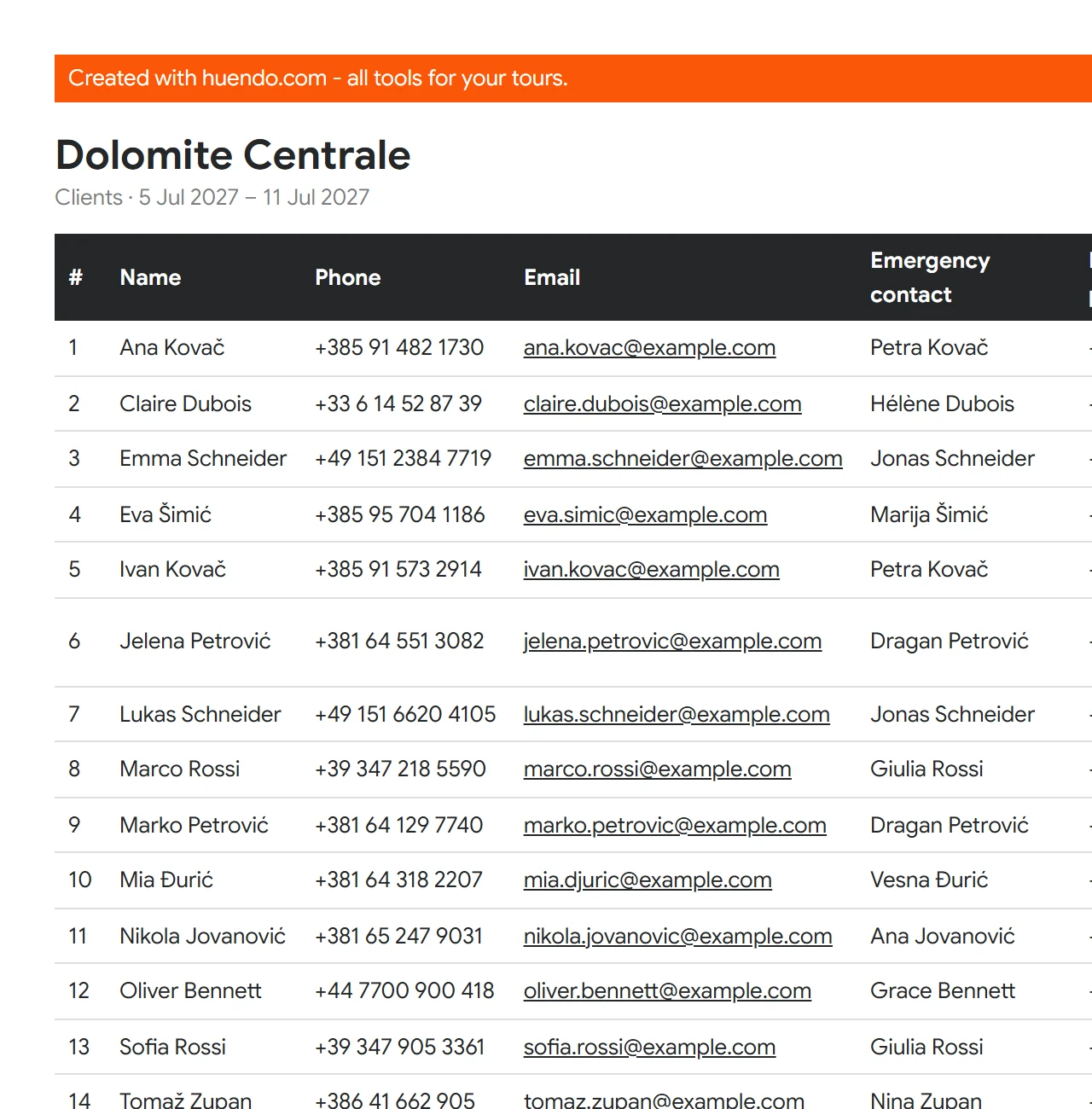
- Export the list as PDF, Excel or CSV. The export follows the filter you have on.

The client list, exported aspdf
Rooms assigned by drag and drop
Place the clients you've added into stays and rooms. Stays sit on a timeline of the tour's nights, so a change of hotel, or a group split across two, is visible at a glance.
- Rooms your way: single, double, twin, triple, quad or a custom size, each in its own colour, with hotel notes per room or guest.
- Copy a layout from one stay to the next in a single click, rooms and their guests.
- A list for the hotel, as PDF or Excel, with your contact details in the header.
- Warnings before export: Before it goes out, it flags guests without a room, empty rooms and nights without accommodation.

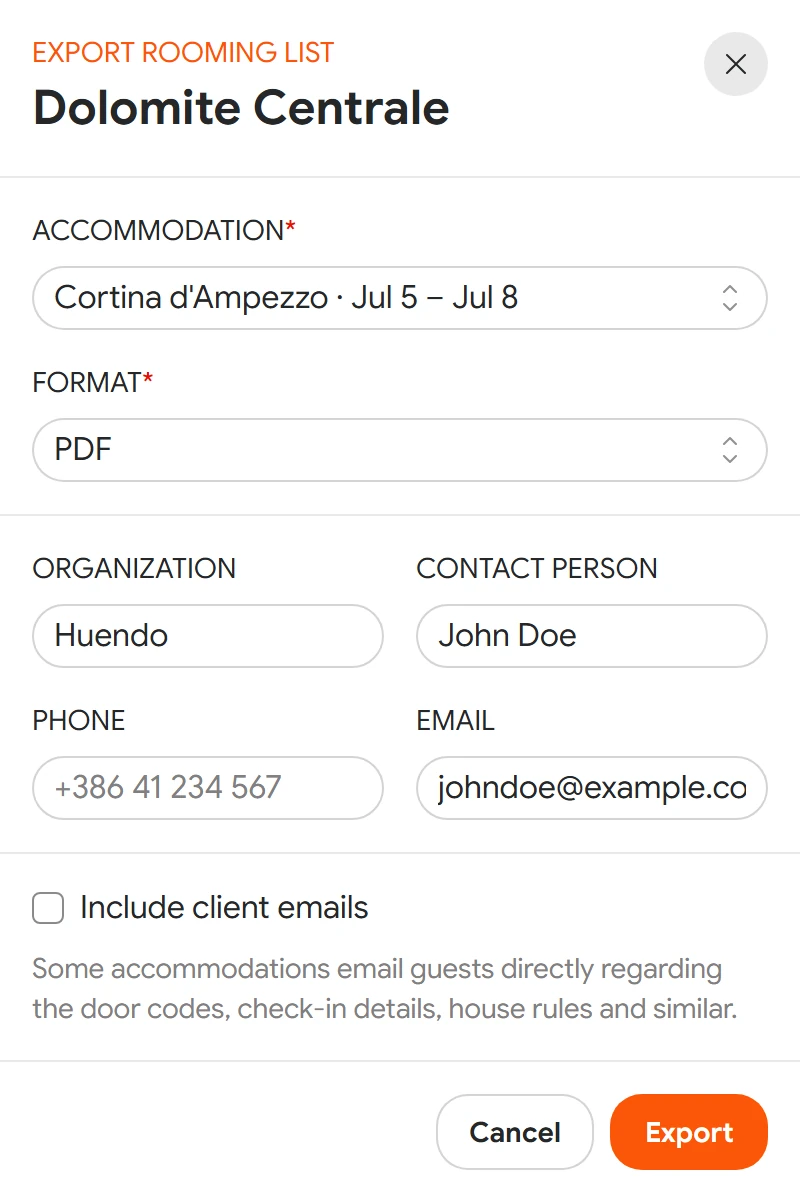
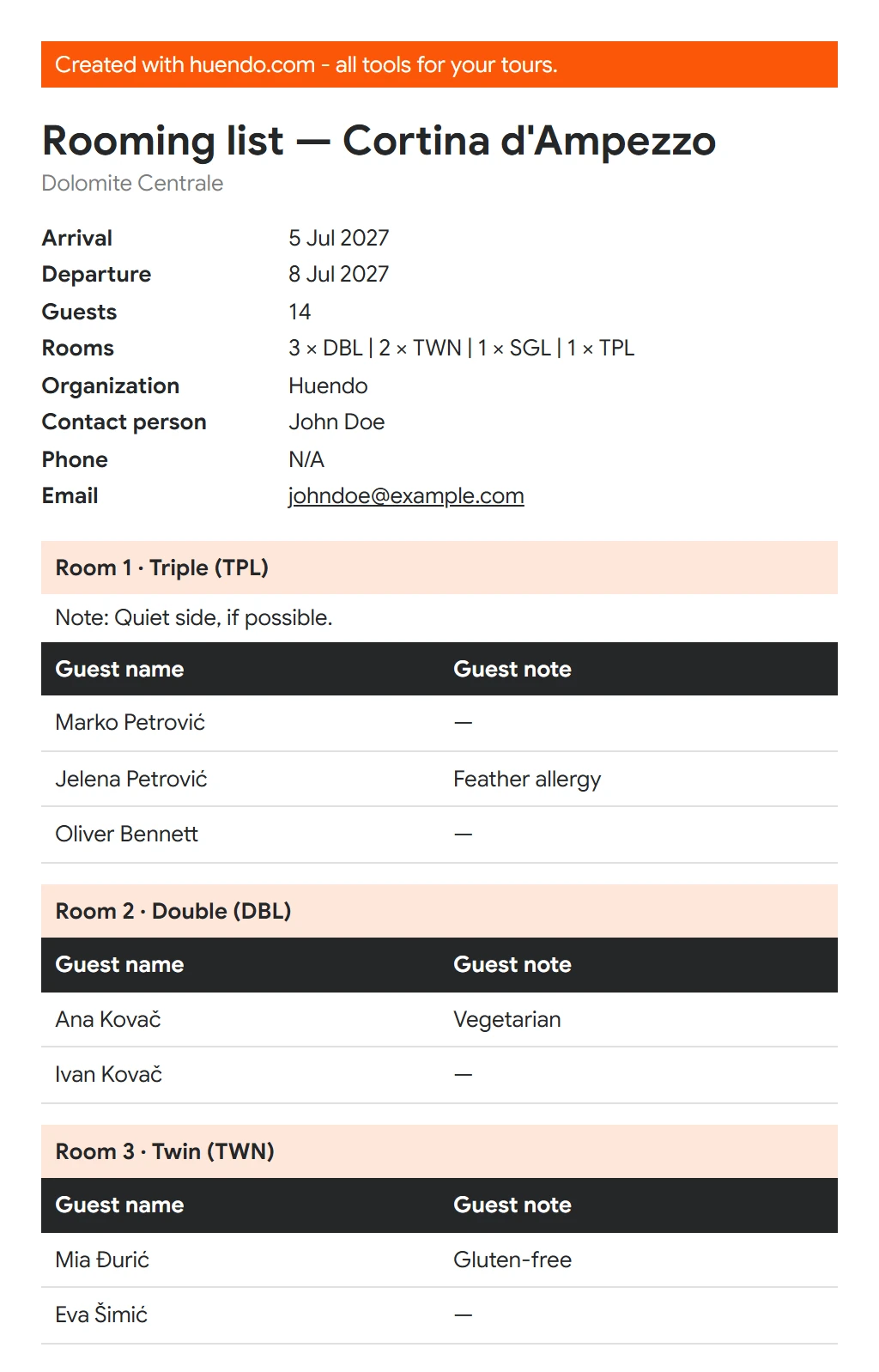
The rooming list for the hotel, exported aspdf
Briefings, narrations and fun facts — written from your tour, not from a template.
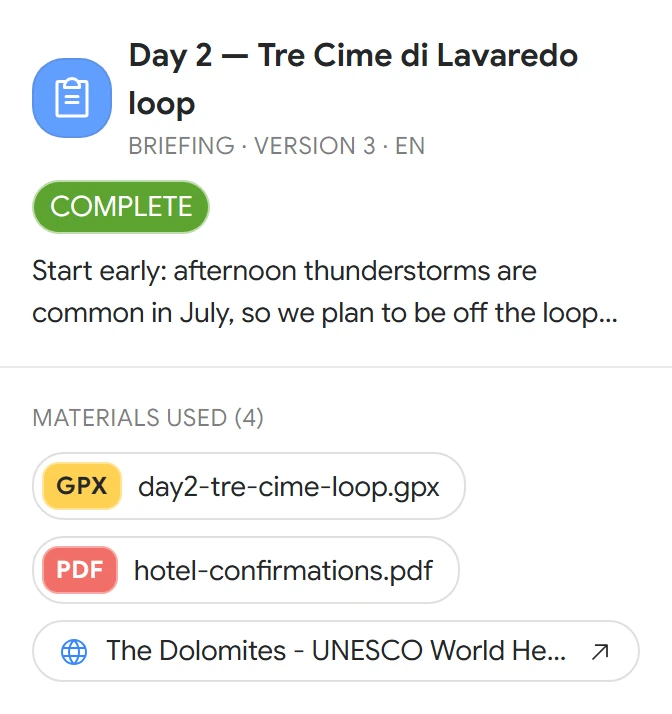
Briefing
The plan and logistics for leading the tour, day by day.
For example: “Day 2 — Tre Cime di Lavaredo loop”, with the instruction “Lead with the weather plan”.
Narration
Texts to read aloud on the bus or during a transfer, or to study before you reach a site.
For example: “The front line in the rock”, for the drive to Cinque Torri, written from wwi-front-notes.docx.
Fun facts
Facts to share along the way, and quiz questions with small prizes for the right answers.
For example: “Which French geologist gave the Dolomites their name?” Déodat de Dolomieu.
Written from what you already have
Every text starts from four sources.
- Your tour: everything on the General tab, from location and dates to group size, average age and interests.
- You: what's in your profile, your guide type, country and default language.
- Your materials: every file under Materials is read. For each text you choose which files it may use, and a file that can't be read is listed with the reason.
- The web, where your materials don't cover something.
Your clients stay out of it. Names, contact details, payments, insurance and rooming never go into a prompt.


Refine it, edit it, take it with you
A text is a starting point. Shape it until it sounds like you.
- Refine makes a new version, from your own instruction or a quick chip: Shorter, More detail, Friendlier tone, Simpler words. Every version stays in the history.
- Edit, copy, download: change the text yourself, copy it, or download it as a PDF.
- Show in materials pins the text to the tour's materials.
- Sources: every text lists the files and web pages it used, each with a link, so you can check any claim in seconds.
- 27 languages, the default comes from your profile; change it for any text.


Know the queue before you reach it.
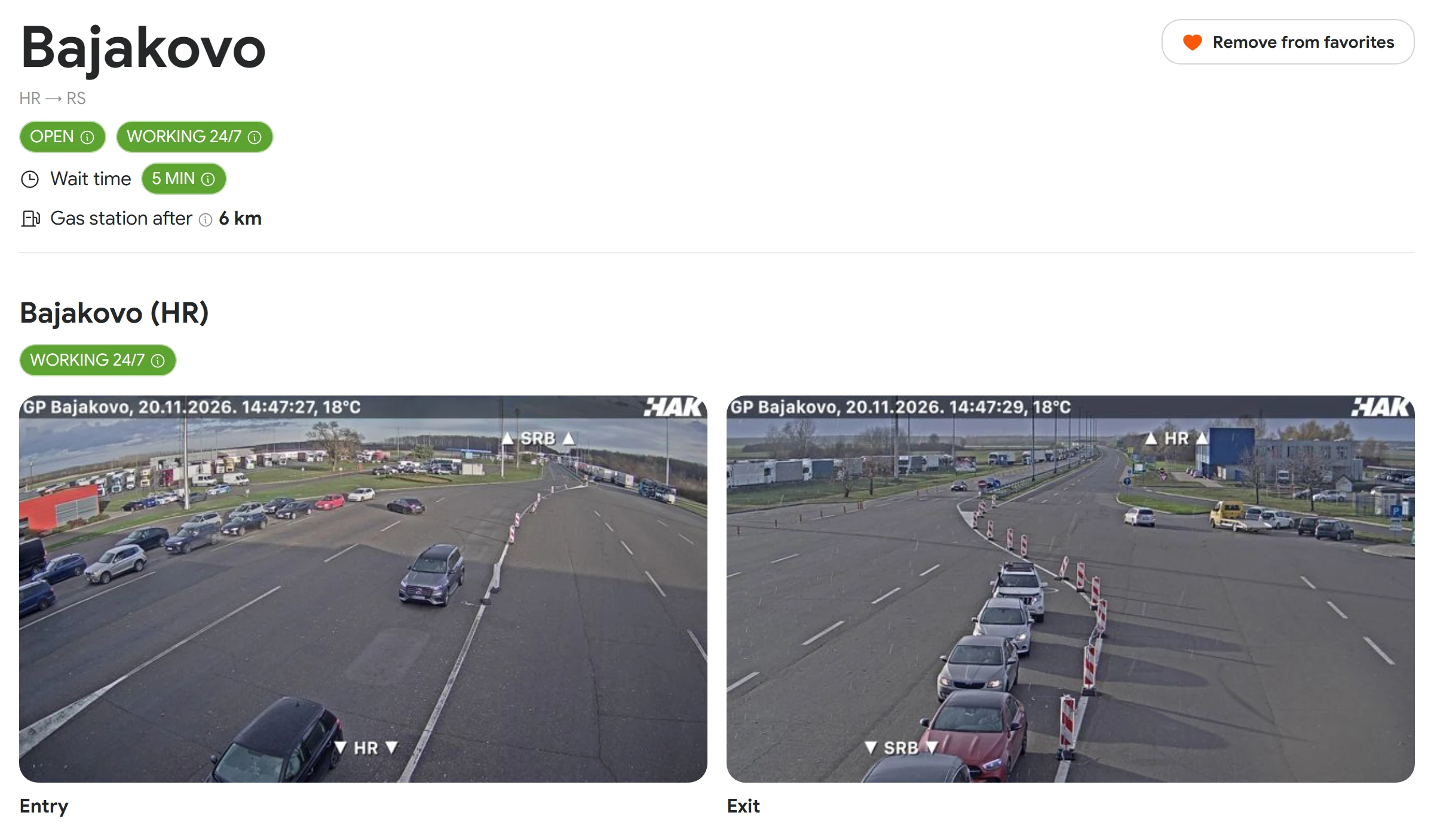
Border crossings across the Western Balkans in one place. Search, filter by the country you're leaving or entering, and keep the ones you use most as favourites.
Camera snapshots
Recent images from the cameras on both posts, for entry and exit, each with the time it was taken.
Estimated wait
How long the queue is, coloured by length, with the time of the last report.
Opening hours
Open or closed, and the hours of each post or 24/7, in local time.
Alternative crossings
Nearby crossings by straight-line distance, each with its own wait, so you can reroute before you're stuck.
Fuel
How far it is to the first gas station after the crossing.
Honest data
A missing value reads “No data”, never “no queue”. Outdated snapshots and waits are not shown as current.
Be there when the trail opens.
Leave your email and we'll let you know when the MVP is ready.
No marketing in between, just one message.